
 Recruit
40 Best Remote Work Tools to Add to Your Toolkit


- Why Remote Work Tools are Essential
- How to Choose the Right Remote Work Tools
-
Best Remote Work Tools
- Communication & Collaboration
- 📍Trello
- 📍 Asana
- 📍 Slack
- 📍 Monday.com
- 📍Microsoft Teams
- Contractor & Project Management
- 📍TalentHR
- 📍Invoice Simple
- 📍ProofHub
- 📍Wrike
- 📍Airtable
- 📍Smartsheet
- Productivity & Time Management
- 📍Todoist
- 📍Clockify
- 📍RescueTime
- 📍Microsoft To Do
- File Sharing
- 📍Google Drive
- 📍Dropbox
- 📍Filestage
- 📍Box
- 📍WeTransfer
- Virtual Office tools
- 📍Kumospace
- 📍Gather
- 📍Work Adventure
- 📍Teamflow
- Contractor Management
- 📍Horizon
- 📍Deel
- 📍Remote
- Knowledge Management Tools
- 📍Guru
- 📍Document360
- 📍Tettra
- 📍Helpjuice
- Video Conferencing
- 📍Zoom
- 📍Google Meet
- 📍Zoho Meeting
- 📍GoToMeeting
- Cybersecurity and VPN
- 📍ExpressVPN
- 📍NordVPN
- 📍Proton VPN
- Remote Onboarding Tools
- 📍Kallidus
- 📍Innform
- 📍Enboarder
- Remote Employee Recognition
- 📍Awardco
- 📍Empuls
- 📍Assembly
- 📍Motivosity
- Bonus: Home Office Setup Essentials
- Common Challenges of Remote Work (and How Tools Solve Them)
- Final Thoughts
- Frequently Asked Question

Let RemotePeople handle payroll, compliance, and HR admin worldwide so you can focus on building your team.
Now that 28% of the global employed population is working from home, the need for remote work tools is greater than ever. In industries like tech, where nearly 68% of employees work fully or partially remotely, these tools are an even bigger necessity.
The good news is that remote work tool development has kept up with the rapid shift to remote and hybrid modes of work. However, there’s bad news, too; there are just too many tools to choose from.
Then, there are separate tools for different use cases, from collaboration to project management. Finding, narrowing down, vetting, and then finally adopting the right tools is a rather tedious task. Lucky for you, we took it upon ourselves to take this lengthy task off your hands.
For your convenience, we’ve divided the tools into the following categories:
- Communication and collaboration tools
- Project and contractor management tools
- Productivity and time management tools
- File sharing tools
- Virtual office tools
- Contractor Management tools
- Knowledge management tools
- Video conferencing tools
- Cybersecurity and VPN tools
- Remote onboarding tools
- Employee recognition tools
Why Remote Work Tools are Essential
Remote work tools are no longer optional—they are the backbone of effective virtual teams. These tools address the unique challenges of remote environments, ensuring businesses operate smoothly, employees stay connected, and goals are achieved.
Bridging Communication Gaps
Without in-person interactions, miscommunication can easily occur. Tools like Slack, Zoom, and Microsoft Teams ensure clear, real-time communication, reducing misunderstandings and enabling quick decision-making.
Enhancing Productivity
The absence of physical supervision can sometimes affect accountability. Project management tools like Asana or Trello keep teams aligned, with tasks, deadlines, and progress visibly organized.
Supporting Collaboration Across Time Zones
Distributed teams need tools that facilitate asynchronous work. Document-sharing platforms like Google Workspace and Notion allow team members to contribute on their own schedules without disrupting workflows.
Enabling Seamless Integration Across Teams
Modern workplaces rely on multiple tools to manage workflows, but disconnected systems can lead to inefficiencies and frustration. Remote work tools often come with robust integration capabilities, allowing businesses to connect their tech stack seamlessly.
How to Choose the Right Remote Work Tools
With so many options on the market, finding the perfect tools for your team can feel overwhelming. The key is to focus on your specific challenges and goals while keeping your team’s unique needs in mind.
By following a strategic approach, you can build a toolkit that boosts efficiency, enhances collaboration, and aligns with your budget.
Identify Your Challenges
Begin by evaluating the specific challenges your team faces in their daily workflows. Think about the recurring issues that slow progress or hinder collaboration:
- Communication issues? Look for messaging and video conferencing tools.
- Task disorganization? Focus on project and time management tools.
- Security concerns? Prioritize VPNs and password managers.
Prioritize Key Factors
Once you’ve identified the areas where tools can make the biggest impact, focus on the factors that will determine the tool’s long-term effectiveness for your team:
- Ease of Use: Tools should be intuitive for team members of all skill levels.
- Integration: Ensure the tools work seamlessly with your existing tech stack.
- Scalability: Can the tool adapt as your team grows?
- Cost: Balance your budget with long-term value.
Test and Gather Feedback
Before committing to any tool, take the time to test its real-world performance and involve your team in the decision-making process:
- Use free trials or demos to explore the tool’s features and see if it meets your needs.
- Encourage team members to provide feedback on usability and effectiveness to ensure the tool addresses the actual challenges they face.
With a clear understanding of what to look for, you can now explore tools that solve your team’s biggest challenges. From communication to productivity, the right tools can transform your workflows, bridge collaboration gaps, and drive remote success.
Here’s our selection of the best remote work tools to elevate your team’s efficiency and collaboration.
Best Remote Work Tools
🔗
Communication & Collaboration
For remote teams to stay on the same page, it’s important to have a centralized tool or system where they can share ideas and collaborate. The following communication and collaboration remote work tools do the job.
📍Trello
Trello is a widely popular project management and collaboration tool that organizes work into boards and cards. It’s a great tool for visual learners who prefer seeing their tasks laid out in a visual format. With features like checklists, due dates, and assigning tasks to team members, Trello makes remote collaboration seamless.

Trello Key Features
- Task automation and reminders
- Integration with collaborative tools like Google Drive and Slack
- Calendar view for a bird’s eye view of all tasks
- Ongoing comment addition and checklists
Trello Pricing
| Plan | Price |
|---|---|
| Free | $0 |
| Standard | $5 |
| Premium | $10 |
| Enterprise | $17.5 |
Why Use Trello?
Perfect for teams that thrive on a clear, visual overview of tasks and deadlines. Its task automation and integration capabilities make it a reliable project management tool.
📍 Asana
Asana, just like Trello, lets you create project boards and add sub-tasks so that everyone knows what to do. Remote teams can further set deadlines for tasks and prioritize projects to keep them in focus. The platform sends notifications when someone is assigned a task so that they never miss out on important updates.

Asana Key Features
- Daily and weekly reminders
- Neat and sleek task lists
- Pre-built project templates
- Milestone addition to track progress and project completion
- Support for attachments from Google Drive, Dropbox, OneDrive, and your computer
Asana Pricing
| Plan | Price |
|---|---|
| Personal | $0 |
| Starter | $10.99 |
| Advanced | $24.99 |
| Enterprise | Price not listed |
Why Use Asana?
Helps teams prioritize tasks, set deadlines, and stay focused on high-impact projects. Ideal for goal-oriented teams requiring detailed progress tracking.
📍 Slack
Used by companies like The New York Times and Uber, Slack is designed to bring teams together from all over the world. You can use it for anything from team communication to staying on top of projects and tasks. The platform centralizes all your conversations and files, making it easy to search for information.

Slack Key Features
- Asynchronous communication
- Status updates and notification preferences
- Integration with over 2,600 other remote work apps
- An AI assistant to find answers in communication and catch up on lengthy conversations
Slack Pricing
| Plan | Price |
|---|---|
| Free | $0 |
| Pro | $8.75 |
| Business+ | $15 |
| Enterprise Grid | Price not listed |
Why Use Slack?
Centralizes team communication, enabling asynchronous and real-time discussions while maintaining a searchable repository of conversations.
📍 Monday.com
Monday is collaboration cum project management software that remote teams can customize to meet their complex needs. The drag-and-drop editor allows you to structure each workflow per your requirements. Plus, there are hundreds of ready-to-use integrations to extend the platform’s capabilities.

Monday.com Key Features
- AI-driven workflows for faster project progression
- AI-generated insights for decision-making
- Data transformation into visual dashboards
- Industry-leading security for your data
Monday.com Pricing
| Plan | Price |
|---|---|
| Free | $0 |
| Pro | $9 per seat per month |
| Business+ | $12 per seat per month |
| Pro | $19 per seat per month |
| Enterprise | Price not listed |
Why Use Monday.com?
Highly flexible for complex team requirements, offering data visualizations and AI tools for smarter decision-making and project management.
📍Microsoft Teams
Microsoft Teams is a team collaboration software that brings together all the tools and apps your team uses into one central platform, including Microsoft Office apps, OneDrive, and more. It also offers a wide range of communication options, including chat, video conferencing, and voice calls.

Microsoft Teams Key Features
- AI Copilot to help schedule meetings and tasks
- AI-generated meeting notes
- Shared task lists and channels for collaboration
- Suggested replies and Microsoft Loop to facilitate remote communication
Microsoft Teams Pricing
Paid business plans start at $4 per user per month and paid home (single-user) plans start at $6.99 per month. A free single-user plan with limited features is available.
Why Use Microsoft Teams?
Integrates seamlessly with the Microsoft ecosystem, making it ideal for document collaboration, scheduling, and team connectivity in one space.
🗂️
Contractor & Project Management
With back-and-form emails and spreadsheets, remote teams can quickly get disorganized, and there is a high likelihood of important information being missed or forgotten. Project management tools help prevent this from happening.
Similar managing multiple remote contractors in different locations can be difficult, this is where contractor management tools come in handy.
📍TalentHR
TalentHR is an all-in-one, fully customizable HR software built for contractor-based and remote teams. Whether you’re managing freelancers, independent contractors, or a mix of full-time and remote staff, TalentHR keeps everything organized and running smoothly. From time off tracking and e-signatures to onboarding, asset management, AI tools and more, the HRIS system automates the busywork so you can focus on your team and projects. With a fully featured mobile app and flexible, affordable pricing, TalentHR is the smart choice when it comes to managing contractors or remote teams.

TalentHR Key Features
- Hiring and onboarding
- File management and document signing
- Performance management, employee surveys and people analytics
- Employee self-service, asset management, and time off tracking
- Fully customizable, while supporting integrations with TalentLMS, Slack, Zapier, and more
TalentHR Pricing
| Plan | Price |
|---|---|
| Free (<10 Users) | $0 |
| Essential | $2+ per user per month |
| Premium | $4+ per user per month |
Why Use TalentHR?
TalentHR is built for flexibility, making managing contractor-based and remote teams easy, even with complex or non-traditional setups. With smart automation, AI-powered features, and an all-in-one mobile app, it takes care of the HR admin so you can focus on running smoother, more efficient projects.
📍Invoice Simple
Invoice Simple offers intuitive invoicing software tailored specifically for small businesses. It stands out as an easy-to-use solution, offering intuitive features for creating, sending, and tracking professional invoices. Users can effortlessly generate estimates, invoices, and receipts, ensuring smooth financial operations.
Additionally, Invoice Simple includes features like payment tracking to monitor outstanding invoices, reporting tools for clear financial insights, and automated reminders to improve cash flow. The platform also supports seamless integration with payment gateways, allowing businesses to quickly receive payments directly through the software. Invoice Simple simplifies the invoicing process, helping small businesses efficiently manage their finances.

Invoice Simple Key Features
- Professional Invoice Creation: With Invoice Simple, Easily create and send branded invoices and estimates.
Online Payment Integration: Accept credit card and PayPal payments directly from invoices.
Real-Time Read Receipts: Receive notifications when clients view your invoices.
Expense Tracking: Monitor and organize business expenses effortlessly.
Mobile Accessibility: Manage invoices anytime, anywhere through the mobile app.
Invoice Simple Pricing
| Plan | Price |
|---|---|
| Essentials | Free trial (contact for full pricing plan) |
| Plus | Free trial (contact for full pricing plan) |
| Premium | Free trial (contact for full pricing plan) |
| Enterprise | Free trial (contact for full pricing plan) |
Why Use Invoice Simple?
Perfect for small businesses needing simple yet professional invoicing, Invoice Simple’s intuitive interface and easy-to-use features make it ideal for creating invoices and managing payments.
📍ProofHub
ProofHub is a cloud-based project management and team collaboration software designed for remote teams. The platform brings all essential project management tools into one centralized workspace.

ProofHub Key Features
- Gantt charts, Kanban boards, and task management for project planning & tracking
- Time tracking, timesheets, and productivity reports for time management
- Real-time discussions, file sharing, and @mentions for team collaboration
- File organization, version control, and approval workflows for document management
- Custom reporting for project progress, resource utilization, and team performance tracking
ProofHub Pricing
| Plan | Price |
|---|---|
| Essential | $45 per month (billed annually) |
| Ultimate Control | $89 per month (billed annually) |
Why Use ProofHub Teams?
ProofHub is ideal for teams seeking an all-in-one project management solution without per-user fees. It offers comprehensive features for project planning, collaboration, and time tracking while maintaining simplicity in its interface. The flat pricing model makes it cost-effective for growing teams.
📍Wrike
If you’re looking for a tool that looks like the spreadsheets you’re so used to but has more features than Excel or Google Sheets, Wrike is the project management tool for you. Its spread-sheet-like interface combines with project tracking features to give you a single-pane view.

Wrike Key Features
- Project status tracking (new, in progress, completed, on hold, etc.)
- Gantt charts for visualizing task timelines
- Custom dashboards to visualize task progress
- Multi-tool integration for remote teams
Wrike Pricing
| Plan | Price |
|---|---|
| Free | $0 per user per month |
| Team | $10 per user per month |
| Business | $24.80 per user per month |
| Enterprise & Pinnacle | Price not listed |
Why Use Wrike?
Ideal for teams transitioning from spreadsheets to advanced project management, Wrike offers Gantt charts and dashboards for visualizing progress while maintaining familiarity.
📍Airtable
Airtable is a dedicated project management app for app development teams. Its pre-built templates make initial setup a breeze, while the customization options make sure you can track every aspect of your development process. Airtable also comes with an AI Cobuilder that you can use to kickstart projects.

Airtable Key Features
- Integration with over 150 apps
- Option to build your own app for integration
- Project prioritization at every stage
- Task grouping by projects
Airtable Pricing
| Plan | Price |
|---|---|
| Free | $0 per user per month |
| Team | $10 per user per month |
| Business | $24.80 per user per month |
| Enterprise & Pinnacle | Price not listed |
Why Use Airtable?
Combines the simplicity of a spreadsheet with powerful customization options, making it ideal for app development and managing complex projects in creative or technical teams.
📍Smartsheet
Since it offers cloud-based spreadsheets, Smartsheet is the best project management tool for teams scattered across the globe. It integrates with more than 100 tools to make team operations extremely fast and streamlined.

Smartsheet Key Features
- Data visualization options
- Features for event planning and new product development
- AI-generated formulas for complex calculations and data analysis
- Content management with tools like automated alerts and progress dashboards
Smartsheet Pricing
| Plan | Price |
|---|---|
| Pro | $9 per member per month |
| Business | $19 per member per month |
| Enterprise | Price not listed |
| Advanced Work Management | Price not listed |
Why Use Smartsheet?
Smartsheet is the ideal solution for teams seeking a flexible and powerful project management tool. Its user-friendly, spreadsheet-like interface makes it easy to adopt, while features like Gantt charts, customizable dashboards, and workflow automation simplify even the most complex projects. If you’re looking for a tool that combines familiarity with advanced functionality to improve efficiency and deliver results, Smartsheet is worth considering.
⏰
Productivity & Time Management
When you’re working from home, it can often be hard to stay focused on work since there may be too many distractions. A time management or productivity tool can help you stay on track and make the most of your working hours. Here are some popular options.
📍Todoist
Todoist is like your digital to-do list with a ton of features to keep you productive at work. Its clean interface and gamification features not only help you manage your tasks but also make it fun and engaging to use. Plus, you can set personal goals to track your progress and productivity over time.

Todoist Key Features
- Project management for group-focused tasks
- Recurring tasks to automate routine work
- Productivity insights for progress tracking
- Integration with productivity tools and calendars
Todoist Pricing
| Plan | Price |
|---|---|
| Beginner | $0 |
| Pro | $4 per user per month |
| Business | $6 per user per month |
Why Use Todoist?
Todoist is a powerful productivity tool designed to help you stay organized and focused, whether you’re managing personal tasks or team projects. With its clean interface, you can easily create task lists, set priorities, and automate recurring tasks to save time and stay on top of deadlines. If you’re looking for a reliable and flexible solution to boost productivity and achieve your goals, Todoist is a program worth considering.
📍Clockify
Clockify is one of the best remote work tools for teams that need to track time and attendance. With its easy-to-use interface, you can track your work hours, breaks, and tasks in real time. It also offers in-depth reports for managers to monitor employee productivity.

Clockify Key Features
- Centralized dashboard to view time tracking reports
- Auto tracker to track apps and websites employees use
- Project estimates and budgeting (plus invoice creation from billable time)
- In-tool approvals for leaves and holidays
Clockify Pricing
| Plan | Price |
|---|---|
| Basic | $3.99 per seat per month |
| Standard | $5.49 per seat per month |
| Pro | $7.99 per seat per month |
| Enterprise | $11.99 per seat per month |
| Cake.com Bundle | $12.99 per user per month |
Why Use Clockify?
Clockify is the ultimate time-tracking tool for individuals and teams looking to boost productivity and stay on top of their schedules. With its intuitive interface, powerful reporting features, and the ability to track time across unlimited projects for free, it’s perfect for freelancers, businesses, and anyone managing multiple tasks. Whether you’re billing clients, analyzing team performance, or simply organizing your day, Clockify makes time management effortless and efficient!
📍RescueTime
RescueTime helps you take control of your time by tracking your digital habits and creating data-driven productivity insights. It helps you identify areas where you may be wasting time so you can make adjustments to improve your focus and efficiency.

RescueTime Key Features
- Automated timesheets and project tracking
- Goal setting and progress tracking
- Website and app blocking
- RescueTime Assistant for personalized insights
RescueTime Pricing
Solo paid plans start at $6.50 per month; Team paid plans start at $6 per user per month. A 14-day free trial is available for both.
Why Use RescueTime?
RescueTime is a powerful tool for anyone looking to improve productivity and take control of their time. By automatically tracking how you spend your day, it provides valuable insights into your habits and helps you identify distractions. With features like personalized goal-setting and focus tools, RescueTime enables you to stay organized and build more effective routines.
📍Microsoft To Do
Microsoft To Do is a suitable time management tool for solo remote workers or teams looking for a free solution that integrates with other Microsoft products. Its familiar interface and simple design make it easy to create and organize tasks, set due dates, and assign priorities.

Microsoft To Do Key Features
- Automated timesheets and project tracking
- Goal setting and progress tracking
- Website and app blocking
- RescueTime Assistant for personalized insights
Microsoft To Do Pricing
Free for users with a personal Microsoft account.
Why Use Microsoft To Do?
Microsoft To Do is a versatile task management tool designed to keep you organized and focused. With its simple interface, seamless integration with other Microsoft apps, and the ability to create and share lists, it’s ideal for both personal and professional use. If you’re looking for an easy way to manage your tasks and stay productive, Microsoft To Do is a great choice.
🗄️
File Sharing
Remote work involves a lot of collaboration between team members. For this, teams have to share files and documents with their peers online. The following file-sharing tools are super helpful in this regard.
📍Google Drive
To no one’s surprise, Google Drive has made it to the top of this list. It is a cloud-based file storage and sharing platform that offers free storage up to 15 GB for personal use. With Google Drive, teams can collaborate on documents in real time, making it an excellent tool for remote work. Plus, you can also set permissions and access levels for each file, ensuring secure sharing of documents.

Google Drive Key Features
- Third-party integrations
- Google Gemini to generate valuable insights from documents
- Support for over 100 file types
- AI-powered search
Google Drive Pricing
Free for up to 15 GB; paid plans start at $6 per user per month with 30 GB of storage.
Why Use Google Drive?
Google Drive is a reliable cloud storage solution that makes storing, sharing, and collaborating on files seamless. With ample free storage, integration with Google Workspace apps, and accessibility across devices, it’s perfect for personal and professional use alike. If you’re looking for a secure and user-friendly platform to keep your files organized and accessible anytime, Google Drive is an excellent option.
📍Dropbox
Just like Google Drive, Dropbox also allows you to share documents with anyone online. You can further collaborate on projects and search for information across files. All your documents are secure and backed up in the cloud, making it easy to access them from anywhere.

Dropbox Key Features
- Ability to edit and sign documents
- File sharing for people without an account, too
- DocSend for page-by-page analytics
- Permission controls to track file usage
Dropbox Pricing
Paid plans start at $11.99 per user per month; a free plan allows 2 GB of file storage.
Why Use Dropbox?
Dropbox is a user-friendly cloud storage solution designed to simplify file management and collaboration. With features like automatic syncing, robust sharing options, and cross-device accessibility, it’s ideal for both individuals and teams. If you’re looking for a reliable way to store, share, and collaborate on files effortlessly, Dropbox is a smart choice.
📍Filestage
Filestage is a lesser-known but incredibly useful file-sharing tool that is perfect for creative teams. It allows you to share, review, and approve documents with clients and other team members. Besides documents, you can also share images and videos with your teams.
The tool also allows version comparison features for you to see the changes that have been made in a document. All approvals can also be tracked within this tool. You can invite external partners to your workflow so that they can share their feedback and see new versions without the need for an intermediary to share it with them.

Filestage Key Features
- A user-friendly interface for collaboration on documents
- Comment tracking features
- Version control
- Cloud integration
Filestage Pricing
| Plan | Price |
|---|---|
| Free | $0 |
| Basic | $109 per month |
| Professional | $299 per month |
| Enterprise | Price not listed |
Why Use Filestage?
Filestage is a streamlined review and approval platform designed to simplify feedback processes for creative teams. It enables users to share, review, and approve files in one central hub, reducing email clutter and ensuring clear communication. If you’re looking for an efficient way to manage feedback and keep projects on track, Filestage is a great solution.
📍Box
If you’re in a highly regulated industry and cannot risk your documents being compromised, Box is an intelligent content cloud for secure file sharing and document management. Since it’s powered by AI, you can summarize documents, create new content, answer questions, and structure data in mere seconds.

Box Key Features
- Metadata extraction from documents to organize files
- AI-based malware detection
- Compliance with HIPAA, GDPR, and FINRA
- Administrative controls for user permissions and access
Box Pricing
| Plan | Price |
|---|---|
| Free | $0 |
| Personal Pro | $16 per month |
| Starter | $8 per user per month |
Pricing for Businesses
| Plan | Price |
|---|---|
| Business | $24 |
| Business Plus | $39 per user per month |
| Enterprise | $54 per user per month |
| Enterprise Plus | $57.50 per user per month |
Why Use Box?
Box is a secure cloud storage and collaboration platform tailored for businesses and individuals who need reliable file management. With advanced sharing controls, seamless integrations with popular apps, and enterprise-grade security, it’s ideal for teams managing sensitive information. If you’re looking for a scalable solution to store, share, and collaborate on files securely, Box is an excellent choice.
📍WeTransfer
If you’re in the creative industry, such as photography or graphic design, where you have to share large files with clients over the internet, WeTransfer lets you send up to 2 GB of documents for free. All files are highly secure, and the platform’s interface is pretty easy to navigate.

WeTransfer Key Features
- Custom branding options to white label your documents
- Quick file transfers without account creation
- Up to 20 GB of file transfers with a paid plan
- Mood board creation and team collaboration
WeTransfer Pricing
Free for up to 2 GB of file transfers.
Why Use WeTransfer?
WeTransfer is a simple and hassle-free file-sharing platform designed for quick transfers of large files. With no need for accounts or complex setups, it’s perfect for sending files to clients, colleagues, or friends in just a few clicks. If you’re looking for an easy and efficient way to share files without compromising on speed or convenience, WeTransfer is an ideal solution.
⚙️
Virtual Office tools
At times, in remote work, a certain disconnect between the team members can be observed. The lack of face-to-face interaction can lead to communication barriers and difficulties in collaboration. However, you can avoid this situation by using virtual office tools, which let you and your team stay connected and work together seamlessly, just like an in-person office.
📍Kumospace
Kumospace is a shared virtual workspace where remote teams can communicate with each other without the need for breakout rooms. The spatial audio makes it feel like you are in the same room with your team members, making it easier to have spontaneous discussions and brainstorming sessions. The platform also allows for file sharing so that everyone knows what is being talked about.

Kumospace Key Features
- Virtual movement for chance encounters
- Virtual games for team-building activities
- Customization options to suit the team’s needs
- Screen sharing for concurrent collaboration
Kumospace Pricing
| Plan | Price |
|---|---|
| Free | $0 |
| Business | $16 per user per month |
| Enterprise | Price not listed |
Why Use Kumospace?
Kumospace is an immersive virtual workspace platform that redefines online collaboration and social interaction. With customizable rooms, spatial audio, and interactive features, it creates a dynamic and engaging environment for meetings, events, and team hangouts. If you’re looking for a creative way to connect and collaborate remotely, Kumospace offers a unique and interactive solution.
📍Gather
Gather positions itself as a virtual headquarters where remote teams from different locations can come together and work as one cohesive unit. It provides a unique virtual office space designed to replicate an in-person office environment. You can personalize the office space according to your company culture.
The built-in MapMaker lets you design office spaces that mimic your physical offices. With quick-start templates, you don’t have to start from scratch. All employees can also share their feelings in real time by casting a vote or raising their hands. You can also hold team activities and ice breakers to keep everyone engaged.

Gather Key Features
- Virtual avatars for each team member
- Team meetings and in-moment collaborations
- Multiple screen-sharing simultaneously
- Virtual backgrounds and Slack integration
Gather Pricing
| Plan | Price |
|---|---|
| Free | $0 |
| Business | $5.95 per user |
| Enterprise | Price not listed |
Why Use Gather?
Gather is an innovative virtual platform that blends video conferencing with customizable, interactive spaces. It allows teams, friends, and event organizers to create unique environments where users can move around, interact naturally, and collaborate seamlessly. If you’re looking for a creative and engaging way to connect remotely, Gather offers a dynamic alternative to traditional virtual meeting tools.
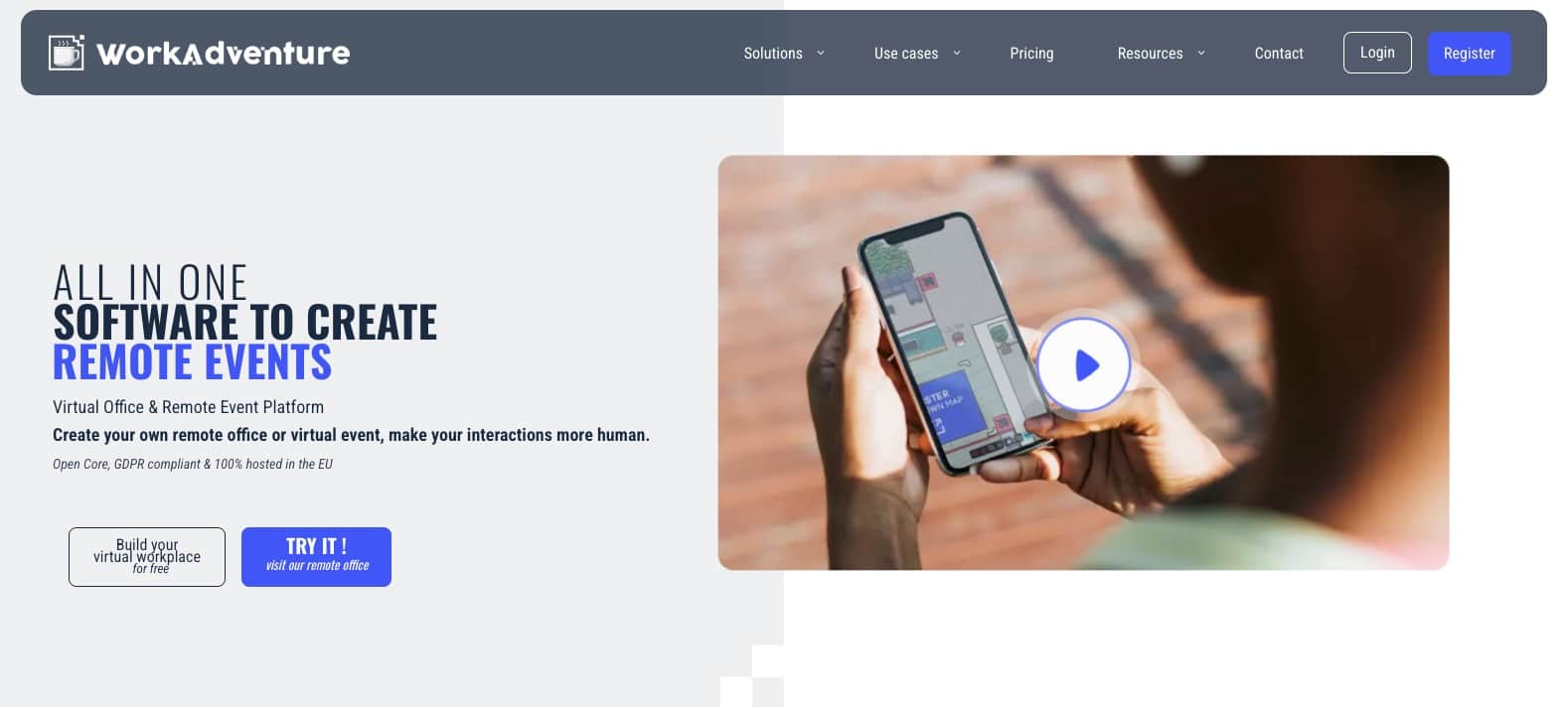
📍Work Adventure
Working remotely doesn’t mean you can’t have human interactions, and Work Adventure ensures this. The tool creates a virtual office environment in which team members can interact with each other through their personalized avatars. You can also host virtual events and conduct team-building activities.
Work Adventure Key Features
- Online learning sessions, such as quizzes and workshops
- Integration with remote work tools
- Unrestricted workplace design options
- Company branding and white labeling
Work Adventure Pricing
| Plan | Price |
|---|---|
| Free | $0 |
| 1 Day | €4 per simultaneous user |
| 5 Days | €8 per simultaneous user |
| Business | €10 per simultaneous user per month |
Why Use Work Adventure?
WorkAdventure transforms remote collaboration by blending interactive maps with video conferencing for a gamified experience. Unlike traditional tools, it lets you design customizable virtual spaces where participants can explore, interact, and work together in real time. If you’re searching for a vibrant and engaging platform to bring your remote team or event to life, WorkAdventure offers a refreshing and imaginative approach.
📍Teamflow
A one-in-all tool, Teamflow brings collaborative meetings and team interactions to a single platform. It is used by remote teams at Quora, Dropbox, and Atlassian, which is a testament to its efficacy.

Teamflow Key Features
- Virtual office space with real-time collaboration tools
- Customizable workspaces and meeting rooms
- Screen-sharing and live meetings
- Integration with major remote work tools
Teamflow Pricing
| Plan | Price |
|---|---|
| Free | $0 per employee per month |
| Seed | $15 per employee per month |
| Business | $25 per employee per month |
Why Use Teamflow?
Teamflow is a virtual office platform designed to recreate the energy and spontaneity of in-person collaboration. With features like spatial audio, customizable workspaces, and seamless integration with productivity tools, it keeps teams connected and engaged in real time. If you’re looking for a dynamic way to enhance remote teamwork and foster natural interactions, Teamflow provides a polished and intuitive solution.
📑
Contractor Management
Managing contractors efficiently is crucial for businesses leveraging external talent. Contractor management tools simplify the processes of onboarding, compliance tracking, payment, and communication, allowing companies to focus on core operations. Below are three standout tools designed to make contractor management seamless and efficient.
📍Horizon
Horizon is a powerful contractor management tool tailored for businesses managing international talent. Known for its robust compliance and payroll capabilities, Horizon is ideal for companies needing flexible, global workforce solutions.

Horizon Key Features
- Simplified global payroll and compliance management.
- Real-time tracking of contractor tasks and milestones.
- Integration with popular project management tools for streamlined workflows.
Horizon Pricing
| Plan | Price per employee/contractor per month |
|---|---|
| Horizons EOR | Starting at $299 per full-time employee/month |
| Horizons Contractor | $29 per contractor/month |
| Horizons International Recruitment | 2% of gross salary/month |
Why Use Horizon?
Horizon excels in providing tailored solutions for businesses with international contractors. Its focus on compliance and integration ensures smooth operations, even across borders.
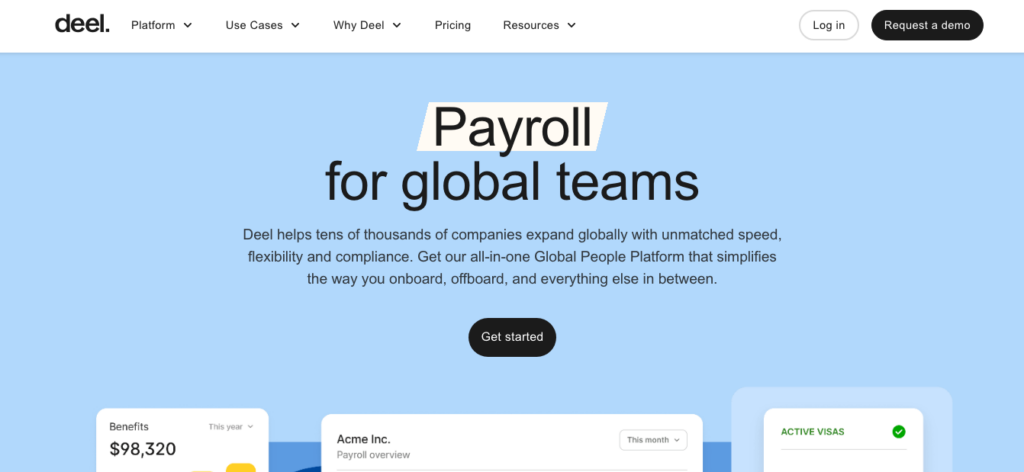
📍Deel
Deel is an industry leader in contractor management, designed for businesses working with contractors across multiple countries. With its intuitive platform, Deel simplifies onboarding, payments, and compliance, making it one of the most trusted names in the space.
Deel Key Features
- Effortless onboarding for contractors with legally compliant contracts.
- Supports payments in over 120 currencies.
- Automatic tax and compliance calculations for different countries.
Deel Pricing
| Plan | Price per employee/contractor per month |
|---|---|
| Deel EOR | Starting at $599 per full-time employee/month |
| Deel Contractor | $49 per contractor/month |
| Deel HRIS | Free |
| Deel Global Payroll | Starting at $29 per employee/month |
| Deel US Payroll | Starting at $19 per employee/month |
| Deel US PEO | Starting at $79 per employee/month |
| Deel Engage | Starting at $29 per employee/month |
| Deel Immigration | On request |
Why Use Deel?
Deel is a top choice for businesses working with international contractors. Its user-friendly platform and extensive compliance features make managing global teams stress-free.
📍Remote
Remote is a comprehensive contractor management solution that specializes in ensuring compliance and simplicity for businesses working with international contractors. Its straightforward interface and strong HR support make it a standout choice.

Remote Key Features
- Full compliance for international contractor agreements.
- Simple and secure global payment processing.
- Access to legal and HR support for managing contractors.
Remote Pricing
| Plan | Price per employee/contractor per month |
|---|---|
| Remote EOR | Starting at $599 per full-time employee per month |
| Remote Contractor | $29 per contractor per month |
| Remote Payroll | $50 per full-time employee per month |
| Remote HR Management | Free |
| Remote Talent | Starting at $119 per contractor per month |
| Remote Contractor Management Plus | $99 per contractor per month |
Why Use Remote?
Remote stands out for its focus on compliance and cost-effectiveness. Its robust support ensures companies can confidently engage contractors across multiple countries.
🛠️
Knowledge Management Tools
With documents coming in from different team members, it becomes necessary to have a centralized storage system to avoid mismanagement. A knowledge management tool not only serves as storage for your organization’s assets but also provides a repository for employee training and decision-making processes.
📍Guru
Guru is a comprehensive AI-powered knowledge management tool that brings your remote team’s docs, apps, and chats to a common platform. It then serves as a knowledge hub that you can use to generate insights and get answers to questions. The tool is available in Slack, Microsoft Teams, ChatGPT, and Google Chrome.

Guru Key Features
- AI-driven personalized and actionable answers
- Integration with CRM and file storage systems
- Customizable Knowledge Agents for different projects
- Prompt-based fine-tuning
Guru Pricing
| Plan | Price |
|---|---|
| Free | $0 |
| All in One | $15 per user per month |
| Enterprise | Pricing not listed |
Why Use Guru?
Guru is a knowledge management platform designed to centralize and streamline your team’s information. With real-time updates, seamless integrations, and easy accessibility, it ensures that everyone has the knowledge they need, exactly when they need it. If you’re looking for a smart way to keep your team aligned and informed, Guru offers a reliable and intuitive solution.
📍Document360
Document360 is a handy tool that lets you create knowledge bases for anything from user manuals to product documents. It’s highly customizable with a rich editor, so you can design your articles as you want them to appear. Plus, its real-time search lets you find any information with ease.

Document360 Key Features
- SEO features to make your documents more visible
- Product documentation support
- AI-powered smart answers
- Centralization for all software docs, such as PRDs and release notes
Document360 Pricing
Pricing is available upon request; a 14-day free trial is available.
Why Use Document360?
Document360 is a powerful knowledge base platform built to help teams create, organize, and share documentation with ease. With its intuitive editor, advanced search capabilities, and customizable interface, it’s perfect for managing internal knowledge or creating self-service support portals. If you’re looking for a scalable and user-friendly solution to centralize your team’s information, Document360 is a standout choice.
📍Tettra
If you’re a small to mid-sized remote team, Tettra is an excellent AI-based knowledge management tool that you can use to get instant answers from company documents. Its AI assistant also summarizes Slack threads to help eliminate time-consuming searches.

Tettra Key Features
- Content retrieval from Notion, Google Docs, and local files
- Context-driven search
- Integration with Google Drive, Slack, and other tools
- Q&A workflow for team collaboration and knowledge sharing
Tettra Pricing
| Plan | Price |
|---|---|
| Basic | $4 per user per month |
| Scaling | $8 per user per month |
| Professional | $7,200 per user per month |
Why Use Tettra?
Tettra is a knowledge management tool designed to help teams organize and share information effortlessly. With integrations for tools like Slack and Microsoft Teams, it ensures that important knowledge is easily accessible where your team already works. If you’re looking for a simple yet effective way to centralize knowledge and improve team collaboration, Tettra is an excellent option
📍Helpjuice
Helpjuice is a popular knowledge base software with AI search, data analytics, customization, and collaboration features. It also boasts a powerful editor that you can use to make your content more helpful. On top of that, the platform has SEO-friendly tools that can help improve your search engine ranking.

Helpjuice Key Features
- User-friendly editing options
- Team collaboration for content creation
- Feedback system to get insights from users
- Version control and shared page previews
Helpjuice Pricing
| Plan | Price |
|---|---|
| 4 users | $120 per month |
| 16 users | $200 per month |
| 60 users | $289 per month |
| Unlimited users | $659 per month |
Why Use Helpjuice?
Helpjuice is a robust knowledge base software designed to simplify the way teams create and share information. With features like advanced search, analytics, and customization options, it’s ideal for improving internal collaboration and enhancing customer support. If you’re looking for a scalable solution to organize knowledge and empower your team or customers, Helpjuice is a reliable choice.
🧑🏻💻
Video Conferencing
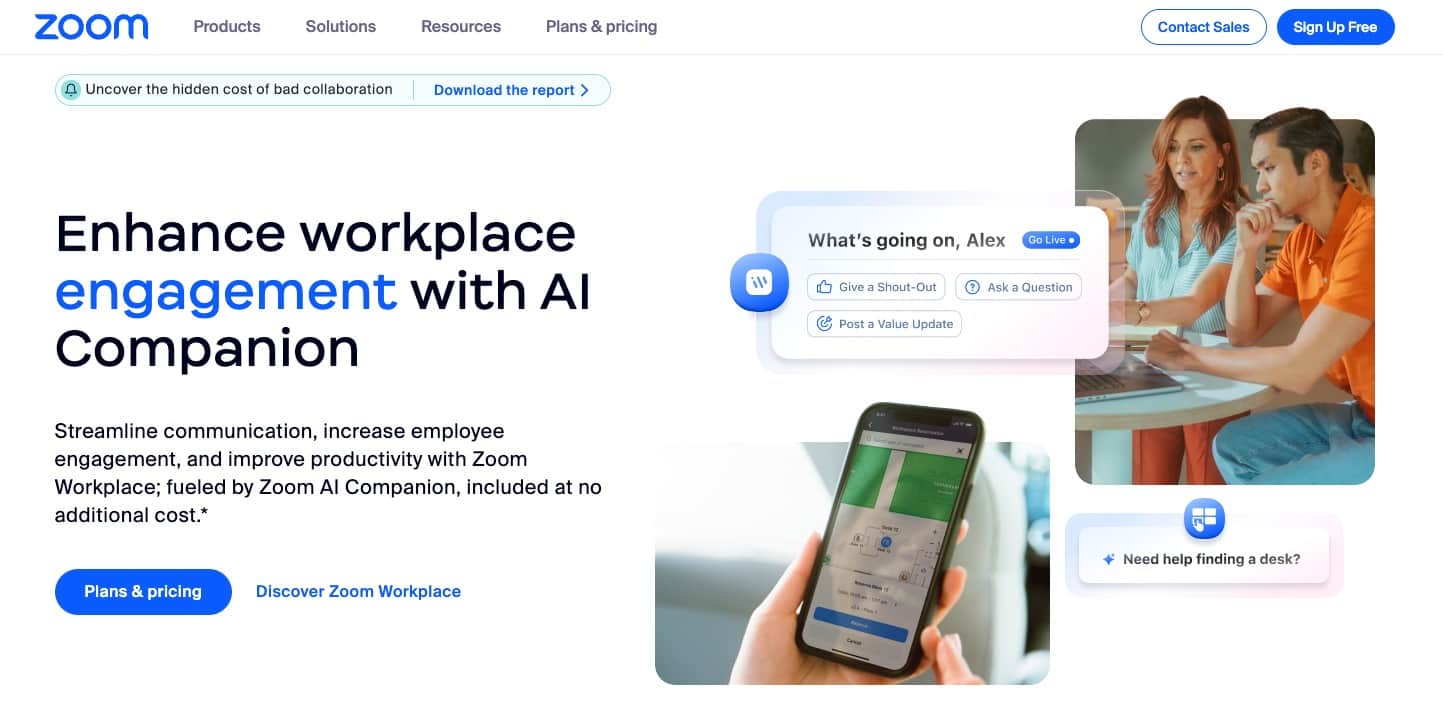
📍Zoom
Zoom is one of those tools that got a lot of hype during the pandemic due to its user-friendly interface and reliable video conferencing features. For remote teams, it provides a place to interact with peers from different regions.
The screen-sharing feature in Zoom is helpful during webinars and team meetings. It allows participants to share their screen with the rest of the attendees, making it easier to collaborate on projects and presentations. Plus, you can record meetings to share with team members who couldn’t attend.
Zoom Key Features
- Filters and hand raising for interactivity
- Zoom scheduling within Gmail and Outlook
- Chat for instant messaging and file sharing
- Background noise suppression
Zoom Pricing
| Plan | Price |
|---|---|
| Basic | Free |
| Pro | $15.99 per user per month |
| Business | $21.99 per user per month |
Why Use Zoom?
Zoom is a leading video conferencing platform that simplifies virtual meetings, webinars, and collaboration. Known for its high-quality video, intuitive interface, and features like screen sharing and breakout rooms, it’s suitable for everything from team meetings to large-scale events. If you’re looking for a reliable and versatile solution to connect with others remotely, Zoom is a trusted option for professionals and individuals alike.
📍Google Meet
If you already use the Google environment, Google Meet would be the ideal video conferencing tool. It’s cheap and super-easy to use. Plus, it can integrate with other apps, letting you build a custom application with Apps Script.
For remote teams with international employees, Google Meet has a speech-to-text captioning feature. So, your team members, who may not be native English speakers, can follow along and contribute without any language barriers.

Google Meet Key Features
- Up to 100 participants in a meeting
- Meeting live streaming to YouTube
- Meetings recorded and shared through Google Drive
- Intelligent background noise cancellation
Google Meet Pricing
Paid plans start at $8 per user per month. Google Meet is free for meetings with up to 100 participants.
Why Use Google Meet?
Google Meet is a secure and easy-to-use video conferencing platform that integrates seamlessly with Google Workspace. Offering features like real-time captions, screen sharing, and effortless scheduling through Google Calendar, it’s ideal for both professional and personal use. If you’re looking for a reliable and accessible tool for virtual meetings, Google Meet is a smart and straightforward choice.
📍Zoho Meeting
Zoho Meeting is among the best remote work tools for teams that want to host webinars and collaborate through online meetings. From scheduling online meetings to recording them, Zoho Meeting has everything a remote team needs to work together seamlessly. You can also use file sharing, whiteboards, and screen sharing to further enhance collaboration.

Zoho Meeting Key Features
- Web meeting recording replays
- Meeting downloads for offline use
- Business phone calls and text messaging
- Role assigning and department-specific meetings
Zoho Meeting Pricing
| Plan | Price |
|---|---|
| Standard Meeting | $2 per host per month |
| Professional Meeting | $3 per host per month |
| Standard Webinar | $9 per organizer per month |
| Professional Webinar | $19 per organizer per month |
| Enterprise Webinar | $79 per organizer per month |
Why Use Zoho Meeting?
Zoho Meeting is an all-in-one platform for hosting secure online meetings and webinars. With features like screen sharing, recording, and webinar tools, it’s designed to simplify virtual collaboration and audience engagement. If you’re looking for a cost-effective and privacy-focused solution for your video conferencing needs, Zoho Meeting is a solid choice.
📍GoToMeeting
GoToMeeting is a collaborative web conferencing tool that simplifies online communication with enterprise-grade security. You don’t have to download anything to start conducting meetings with your team. The unified administration makes it easy to manage and monitor all users.

GoToMeeting Key Features
- Background noise suppression
- Breakout rooms for individual meetings
- HD video, screen sharing, in-session chat, and drawing tools
- Keyword and mouse sharing
GoToMeeting Pricing
| Plan | Price |
|---|---|
| Professional | $14 per organizer per month |
| Business | $19 per organizer per month |
| Enterprise | Pricing not listed |
Why Use GoToMeeting?
GoTo Meeting is a professional video conferencing tool designed to streamline virtual collaboration for teams of all sizes. With features like HD video, screen sharing, and recording, it offers a reliable platform for productive meetings. If you’re looking for a robust solution to host secure and efficient online meetings, GoTo Meeting is a dependable option.
🔐
Cybersecurity and VPN
Working remotely, you had to take extra care to keep your company’s sensitive data secure. A VPN or cybersecurity software can keep prying eyes from accessing your company’s data while you are working remotely. Here are some of the best options in this regard.
📍ExpressVPN
ExpressVPN is a well-known leader in the VPN industry, celebrated for its excellent speed, dependable performance, and top-notch security features. What sets ExpressVPN apart is its ability to strike a perfect balance between global server coverage and robust security measures.
With an extensive network spanning hundreds of servers across 105 countries, it offers exceptional international accessibility. Many of these countries feature multiple server options, ensuring a fallback if one server experiences connectivity issues.

ExpressVPN Key Features
- Data encryption with AES-256
- 24/7 real human support
- Innovative server technology
- Compatible with every platform, from Android and iOS to routers and Linux
ExpressVPN Pricing
Paid plans start at $12.95 per month; a 7-day free trial is available.
Why Use ExpressVPN?
ExpressVPN is a fast and secure VPN service known for its extensive server network and strong encryption. It ensures private browsing, protects sensitive data, and allows access to content from anywhere with minimal speed loss. If you’re looking for a premium VPN with top-notch performance and ease of use, ExpressVPN is a trusted choice.
📍NordVPN
GoToMeeting is a collaborative web conferencing tool that simplifies online communication with enterprise-grade security. You don’t have to download anything to start conducting meetings with your team. The unified administration makes it easy to manage and monitor all users.

NordVPN Key Features
- Threat Protection Pro to block malware before it enters your device
- Remote file access to your data
- Instant alerts in case your email address is leaked in a breach
- A password manager to secure access to your accounts
NordVPN Pricing
| Plan | Price |
|---|---|
| Basic | $12.99 per month |
| Plus | $13.99 per month |
| Complete | $14.99 per month |
Why Use NordVPN?
NordVPN offers a perfect balance of speed, security, and affordability with its advanced encryption and a vast network of servers worldwide. It includes features like Double VPN and threat protection for an extra layer of security. If you’re looking for a reliable and feature-rich VPN to safeguard your online activity, NordVPN is a standout option.
📍Proton VPN
With servers across 110+ countries, Proton VPN secures your internet connection with military-grade encryption and a strict no-logs policy. Since it’s a Swiss-based company, Proton VPN does not share your data with any third party. The VPN is available on all your devices, from smartphones to routers and desktops.

Proton VPN Key Features
- A 10 Gbps server network with VPN Accelerator for fast speeds
- IP address protected during file sharing
- NetShield to keep malware at bay
- Ad-blocking options
Proton VPN Pricing
| Plan | Price |
|---|---|
| Proton Basic | Free |
| Proton VPN Plus | $9.99 per month |
| Proton Unlimited | $12.99 per month |
Why Use Proton VPN?
Proton VPN is a privacy-focused service built by the creators of ProtonMail, offering secure and unrestricted internet access. With strong encryption, a no-logs policy, and support for secure core servers, it’s designed to protect users even in high-risk environments. If you’re looking for a trustworthy VPN with a strong commitment to privacy, Proton VPN is an excellent choice.
📋
Remote Onboarding Tools
When you bring in a new employee to your remote team, it’s not the same as having a new team member in the office. You can’t just show them around, introduce them to everyone, and give them a tour of the office. Instead, you need to rely on remote onboarding tools to help make the process as smooth as possible.
We’ve found the following remote onboarding tools to be helpful.
📍Kallidus
Kallidus is an excellent onboarding tool that helps you welcome new employees into your organization and manage their development. It allows you to create personalized onboarding plans, set tasks and objectives, monitor progress, and provide support to your new hires.
You can use the tool to introduce your recruits to team culture and company vision even before they start working. Plus, new hires can update their profiles through the platform.

Kallidus Key Features
- Integration with ATS to support your recruitment process
- Payroll accuracy and data syncing
- Audit trails for every change
- Customized dashboards to track progress
Kallidus Pricing
Paid plans start at $378 per month.
Why Use Kallidus?
Kallidus is a comprehensive learning and talent management platform designed to streamline employee development and onboarding. It offers tools for eLearning, performance management, and onboarding, all integrated into a single platform. If you’re looking for a solution to enhance employee engagement and streamline HR processes, Kallidus provides a flexible and scalable option.
📍Innform
Innform is a learning management system that you can also use to onboard new employees. The tool has the option to automatically assign onboarding items to new hires, saving time and effort for the HR team. You can also select when the recruits should do each task and track their progress on the dashboard.
Innform also allows you to add multiple training types to your onboarding process. For example, you may use manuals, calls, courses, or quizzes to educate new employees.

Innform Key Features
- Welcome note addition
- Dashboard to track and reassign tasks
- Learning paths to combine courses and quizzes
- Ability to save onboarding bundles and reuse them
Innform Pricing
| Plan | Price |
|---|---|
| Starter | $1.40 per person per month |
| Essential | $2.80 per person per month |
| Pro | $5.60 per person per month |
| Enterprise | Pricing not listed |
Why Use Innform?
Innform is an intuitive learning management system (LMS) tailored for onboarding and employee training. With features like course creation, progress tracking, and certifications, it helps organizations deliver engaging training content. If you’re looking for an easy-to-use platform to manage training and development, Innform is a reliable and efficient option.
📍Enboarder
Enboarder takes the traditional paper-based approach to onboarding and transforms it into a digital, personalized experience. The tool’s focus is to deliver exceptional employee experiences from the moment they accept the job offer until they feel connected and engaged with their new workplace.

Enboarder Key Features
- Onboarding journeys personalized to the learners with different tasks and assignments
- Visual approach with onboarding milestones
- Templates to build employee journeys on
- Ability to add other mediums and platforms for cohesive onboarding
Enboarder Pricing
Pricing is not listed, available upon request.
Why Use Enboarder?
Enboarder is a people-focused onboarding platform that transforms traditional processes into engaging, personalized experiences. With features like automated workflows, real-time communication, and actionable insights, it ensures new hires feel welcomed and supported. If you’re looking for an interactive and user-friendly tool to enhance onboarding experiences, Enboarder is a top choice.
🔎
Remote Employee Recognition
Just because employees may be working remotely doesn’t mean they shouldn’t be awarded and recognized for their hard work and contributions to the company. In fact, recognition is even more important for remote employees as it can boost morale.
Here are the best remote work tools for recognizing employee accomplishments and performance.
📍Awardco
Used by big companies like Zillow and Paramount, Awardco is a global employee recognition platform with no markup on rewards. So, whatever reward your employees get, there’s no extra cost to you or them.
Awardco also helps you provide incentives to your employees. Since these are automated, you only have to set them up once, and it’ll continue to reward employees based on their performance. You can use the platform’s analytics feature to track and measure the success of your recognition programs. The ROI calculator further helps you determine the financial impact of your rewards on employee retention.

Awardco Key Features
- Employee rewards card
- Celebration kits for holiday rewards
- Lifestyle awards to meet every employee’s individual needs
- Amazon partnership to provide shopping flexibility to employees
Awardco Pricing
Pricing is available upon request based on the number of employees and type of recognition.
Why Use Awardco?
Awardco is a comprehensive employee recognition and rewards platform designed to boost engagement and reinforce company culture. By integrating with Amazon Business and offering customizable reward options, it provides a seamless way to recognize achievements and celebrate milestones. If you’re looking for a flexible and scalable solution to enhance employee satisfaction and motivation, Awardco is an excellent choice.
📍Empuls
Empuls is an employee experience tool that keeps your remote workers engaged by celebrating their work and creating a company culture that will further attract new talent and give you just the positive reputation you want. Used by companies like Pepsi and Adobe, Empuls is an AI-backed tool, so you can expect the utmost automation.

Empuls Key Features
- Em, an AI-powered assistant, for employee interaction
- Powerful insights for data-driven actions
- Quick setup in just 60 minutes
- Integration with Slack, Microsoft Teams, and other tools
Empuls Pricing
| Plan | Price |
|---|---|
| Reward & Recognize | $3 per employee per month |
| Surveys | $3 per employee per month |
| Perks & Benefits | $2 per employee per month |
| Employee Gifting & Service Awards | Free (5% fees on rewards issued) |
| Social Intranet & Community Groups | $1 per employee per month |
| All-in-one Pack | Pricing not listed |
Why Use Empuls?
Empuls is an all-in-one employee engagement platform designed to foster connection, collaboration, and motivation within teams. If you’re looking for a holistic solution to enhance engagement and productivity, Empuls is a strong choice.
📍Assembly
Assembly is an employee recognition and engagement tool that takes the process a step further to help employees feel more connected to their work and the company. It is used by more than 4,000 companies around the world, including big corporations like Allbirds and Amazon.
You can set up personalized rewards for all employees with thousands of gift cards and personalized culture rewards. They can also be given an option to donate to a charity of their choice. The tool allows you to start quite a few initiatives, such as employee nominations and feedback forms.

Assembly Key Features
- Ample data to make decisions about employee experience and engagement
- Dora AI for personalized insights
- Integration with team-building and remote work tools
- Resource center to find employee recognition data and trends
Assembly Pricing
| Plan | Price |
|---|---|
| Recognition | $3 per member per month |
| Engagement | $5 per member per month |
| Culture Suite | $7 per member per month |
| Custom | Pricing not listed |
Why Use Assembly?
Assembly is a versatile employee recognition and engagement platform designed to empower teams and strengthen workplace culture. With customizable rewards, peer recognition, and integrations with popular tools like Slack and Microsoft Teams, it makes fostering appreciation seamless. If you’re looking for an easy-to-use and scalable solution to boost morale and productivity, Assembly is a standout option.
📍Motivosity
When it comes to employee engagement, Motivosity is a people-first employee recognition and rewards tool that will keep your workforce motivated to do better every day. The platform has millions of reward options that you can choose from to offer variety to employees.
The best part is that Motivosity lets you celebrate big days like birthdays, even for remote workers. Leaders can also give badges and value-based awards to team members. The peer-to-peer program lets employees congratulate and recognize each other.

Motivosity Key Features
- Ability to create customizable gifts
- Instant rewards to employees
- Hundreds of charities and gift cards to choose from
- Company merch and branded products
Motivosity Pricing
Pricing is available upon request based on the number of employees and reward options.
Why Use Motivosity?
Motivosity is an employee recognition platform focused on fostering gratitude, connection, and engagement in the workplace. With features like peer-to-peer recognition, rewards, and team insights, it helps create a positive culture where employees feel valued. If you’re looking for a user-friendly and effective way to improve employee morale and retention, Motivosity is an excellent choice.
Bonus: Home Office Setup Essentials
While the right software tools enable remote work, your physical setup is just as critical for productivity, comfort, and overall well-being. A well-equipped home office minimizes distractions, reduces physical strain, and creates a professional environment conducive to focused work. Here’s what you need to consider:
Ergonomic Furniture
An ergonomic setup isn’t a luxury—it’s essential. Prolonged sitting can cause discomfort and long-term health issues.
- Chairs: Look for adjustable chairs with lumbar support to encourage proper posture. Brands like Herman Miller and Steelcase are top-notch, but more affordable options (like Branch or Autonomous) offer excellent support.
- Desks: Adjustable standing desks, such as Fully Jarvis or VariDesk, allow you to alternate between sitting and standing, reducing fatigue and boosting energy levels.
Essential Technology
Your tech setup should enhance efficiency, not hold you back.
- Monitors: Dual screens or widescreen monitors improve multitasking and reduce eye strain.
- Noise-Canceling Headphones: A must for blocking out household noise. Popular options include Bose QuietComfort or Sony WH-1000XM5 series.
- Webcams & Microphones: Clear video and audio are critical for virtual meetings. Consider Logitech webcams and Blue Yeti microphones for quality performance.
Productivity Boosters
Small additions can make a big difference to your focus and organization.
- Lighting: Good lighting reduces eye strain. Desk lamps with adjustable brightness (like BenQ or Philips Hue) are ideal.
- Desk Accessories: Monitor stands, cable organizers, and laptop risers help declutter your space and improve ergonomics.
- Comfort Add-ons: Anti-fatigue mats, wrist rests, and footrests support your body during long work sessions.
Investing in a thoughtful home office setup isn’t just about comfort—it’s about sustaining performance. The right equipment can turn your home into a productive, professional workspace.
Common Challenges of Remote Work (and How Tools Solve Them)
Remote work comes with its own set of challenges that can affect team performance, communication, and morale if not addressed effectively. Fortunately, the right tools can provide practical solutions to these common obstacles.
Communication Gaps
Without the ability to walk over to a colleague’s desk or hold impromptu discussions, remote teams often struggle with delayed responses, misunderstandings, and fragmented communication.
👉🏻 SOLUTION: Tools like Slack (for messaging) and Zoom (for virtual meetings) enable clear, real-time communication, ensuring teams stay aligned and connected no matter where they are.
Task Management and Accountability
In a remote environment, keeping track of tasks, responsibilities, and deadlines can feel chaotic without proper systems in place. This lack of visibility can lead to missed deadlines and confusion about team priorities.
👉🏻 SOLUTION: Project management tools like Asana or Trello provide clear task assignments, deadlines, and progress tracking, keeping everyone organized and accountable.
Time Zone Barriers
For teams working across different time zones, aligning schedules for real-time collaboration can be difficult, leading to delays and frustration.
👉🏻 SOLUTION: Asynchronous tools like Loom (for video updates) and Google Workspace (for collaborative document editing and file sharing) allow team members to contribute and stay updated at their own pace, reducing reliance on overlapping working hours.
Remote Employee Recognition
Without regular face-to-face interactions, employees can sometimes feel unappreciated or disconnected, which may impact morale and motivation over time.
👉🏻 SOLUTION: Tools like Awardco and Assembly help teams recognize achievements, celebrate milestones, and foster a culture of appreciation, keeping employees engaged and valued in a remote setting.
Final Thoughts
As you can see from this list, there’s a remote working tool for pretty much everything you can do in an office. Be it engaging with fellow workers, communicating with them, recognizing their good work, or holding meetings, there’s a tool that facilitates every workplace activity.
When it comes to choosing between these remote work tools, you shouldn’t just go on to create a hefty bill for yourself every month. Instead, try opting for free tools if possible. If not, look for tools that you definitely need and then get the plans that closely meet your requirements.
Having said that, you’re now all set to take your pick. Hopefully, this list will save you a lot of time that you’d otherwise have to spend researching the best remote work tools yourself.
Frequently Asked Question
How can I ensure data security when working remotely?Remote work tools are software or platforms designed to help distributed teams collaborate, communicate, and stay productive. They are essential for overcoming challenges like communication gaps, time zone differences, and task management, ensuring teams can operate efficiently from anywhere.
Start by identifying your team’s specific challenges—such as communication issues, project tracking, or security needs. From there, prioritize tools that are user-friendly, integrate with your current systems, and can scale with your team’s growth. Testing free trials and gathering feedback can also help ensure the right fit.
The cost of remote work tools varies widely, from free versions with basic features to premium plans with advanced capabilities. Many tools offer tiered pricing, allowing you to start with a lower-cost plan and scale up as your needs grow. It’s important to weigh the tool’s cost against its potential to improve productivity and efficiency.
Tools like Slack, Zoom, and Microsoft Teams allow teams to communicate in real time through messaging, calls, and video meetings. Asynchronous options like Loom and collaborative platforms ensure that teams stay aligned even when they’re working across different time zones.
When choosing project management tools, look for features like task tracking, deadline management, progress dashboards, and integrations with other tools. Platforms like Asana, Trello, and ClickUp make it easy to organize workflows, assign tasks, and monitor progress in one place.
To maintain engagement, consider tools that focus on employee recognition, team-building, and virtual collaboration. Platforms like Bonusly for recognition or virtual spaces like Zoom and Miro for brainstorming sessions help keep teams connected, motivated, and collaborative.
Data security is a critical concern for remote teams. To safeguard sensitive information:
- Use secure tools with robust encryption and access control, such as VPNs and password managers like NordVPN or LastPass.
- Train employees on best practices, such as recognizing phishing scams and avoiding unsecured networks.
- Ensure that your tools comply with industry standards and regulations, such as GDPR or HIPAA, if applicable.